 Download
The Download button allows you to download reasonable resolution imagery data for offline usage. Select an area you would like to download.
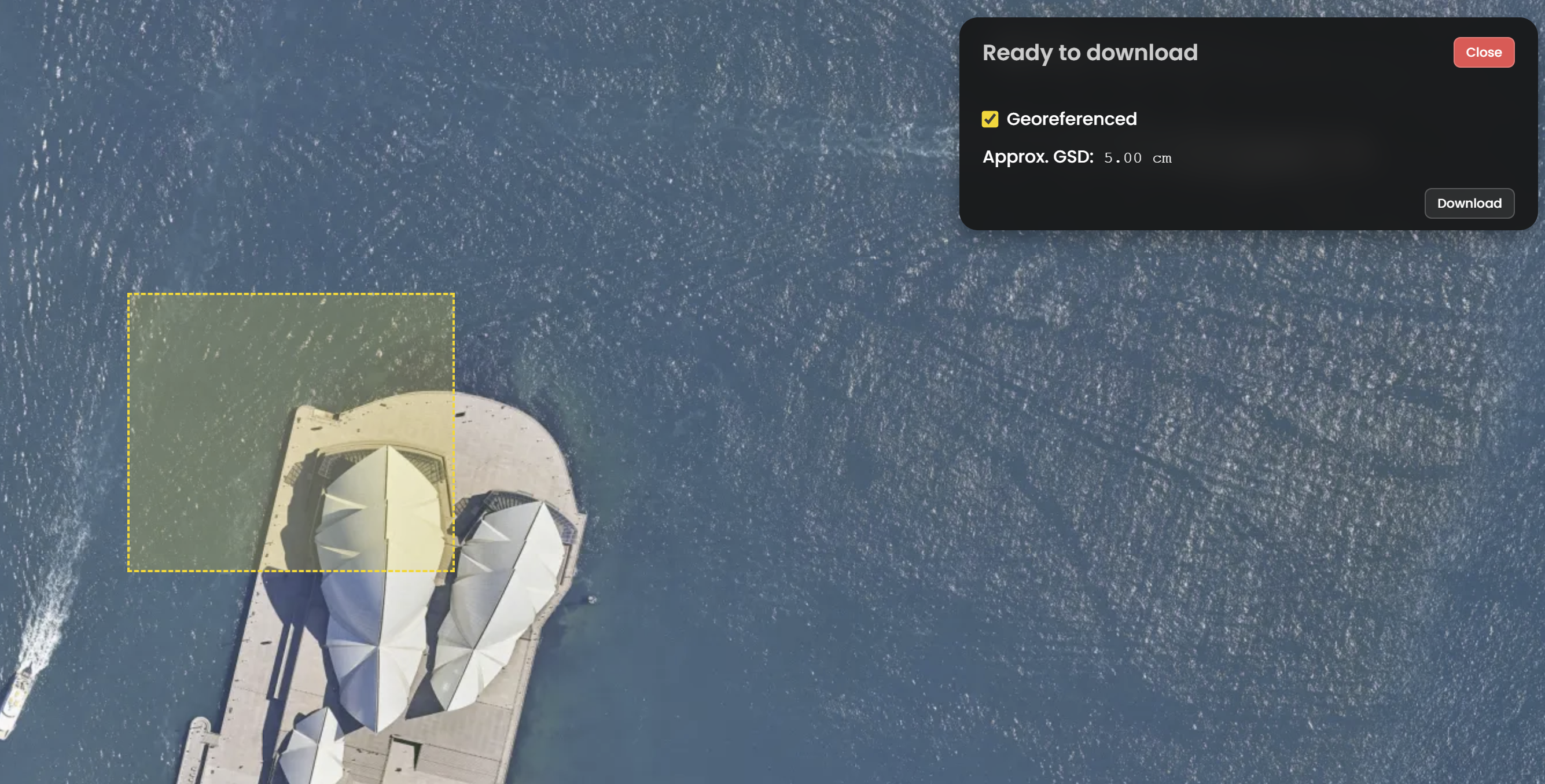
- If you change your mind and don't want to save the image, pressing Esc on the keyboard will exit the Download interface.
- If you would like to download the georeferenced version, the file will be saved as a ZIP file, the
zipfile includes ajpgfile, and its geolocation information stored as.jgwand.prjfile.
WGS 84 / Pseudo-Mercator EPSG:3857 is the only projection allowed for the Download tool. Use the Clip It! Tool to download images in a different projection.
 Clip It!
To download larger, full resolution imagery, with more options and flexibility for projections and formats, you can use Clip It!. This tool is perfect to export small, high resolution, high spatial accuracy imagery to use in offline desktop software such as ESRI and AutoCAD.
- Similar to the Download function, select an area you would like to download.
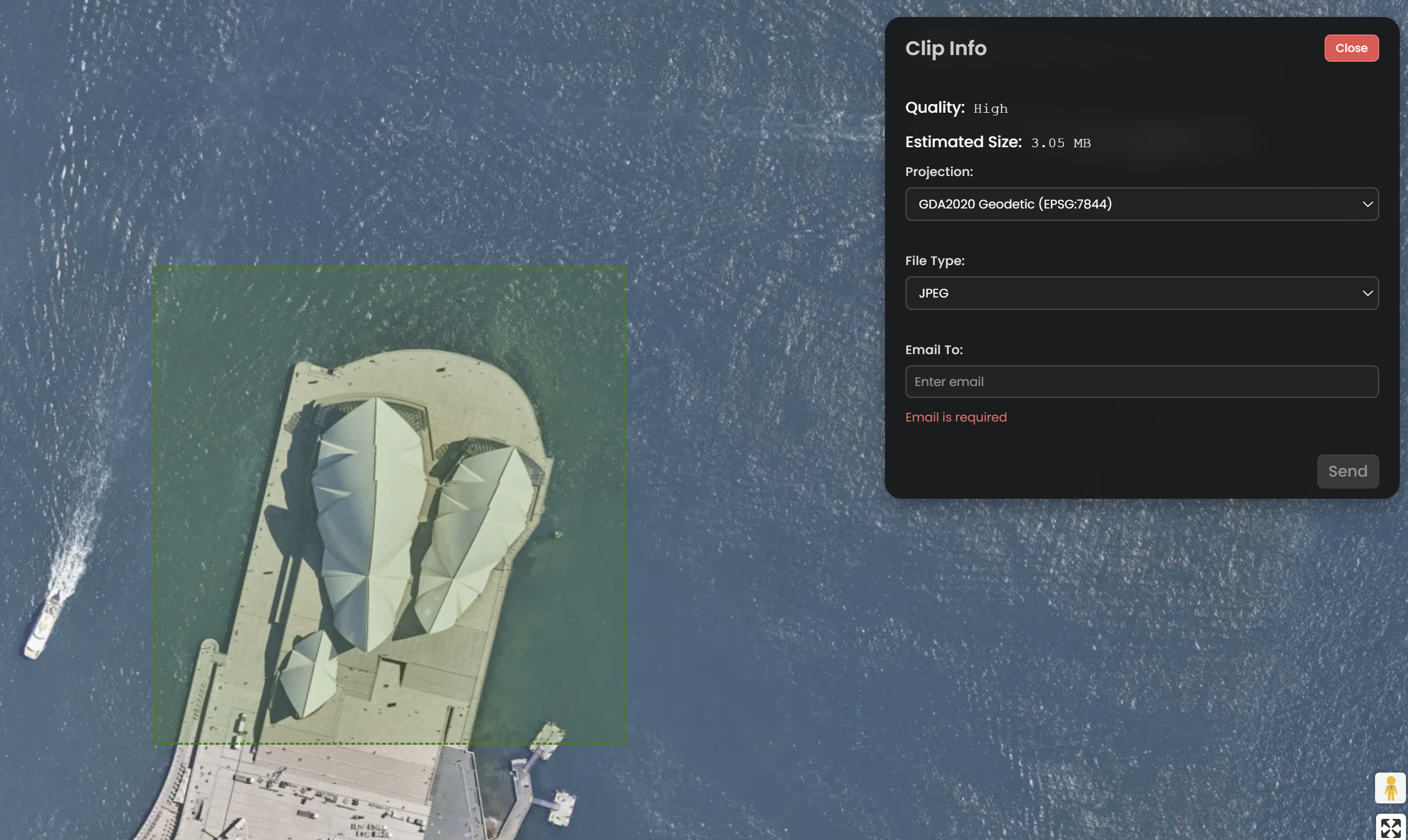
This tool is limited to a 2500km2 export area, if the green box turns orange or yellow, the resolution will be reduced to Medium and Low respectively
-
After you select the desired area, an Clip Info box will appear at the upper right corner of the screen. From there, you can change which projection system and the image format you want to use. MetroMap will automatically select the projection based on the projection selected in Preferences.
MetroMap provides various projection systems, which includes:
WGS 84 / Pseudo-Mercator EPSG:3857GDA 94 Geographic Lat/Lng EPSG:4283GDA 2020 Geodetic coordinate system ESPG:7844PCG 1994 Perth Coastal Grid EPSG:10464PCG 2020 Perth Coastal Grid EPSG:8031MGA 94 ZonesMGA 2020 Zones
MetroMap also provides different image formats, which includes:
GeoTiffGeospatial PDFJPEGPNGIMG
Choose JPEG to have the smallest 'Clip It' export available, you'll recieve this faster via email
- After choosing the configuation, fill in your Email address, then click OK.
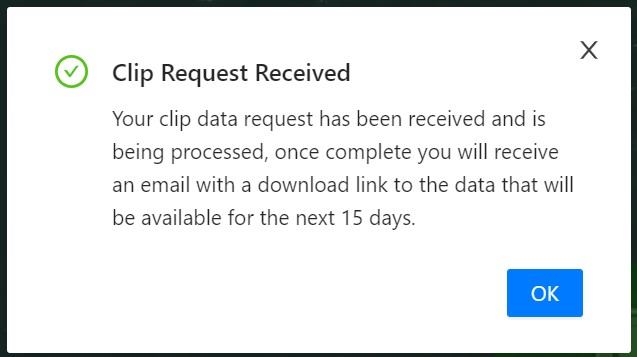
You will then receive a download link from MetroMap. The link will lead you to a Zip file contains a image file and a location record file, please download it once you receive the email as the link will expire in 15 days.