The Map Preferences button allows the configuration of map settings. Changing this will affect the following:
- coordinates shown in the Map Control Bar
- coordinates accepted when searching for coordinates
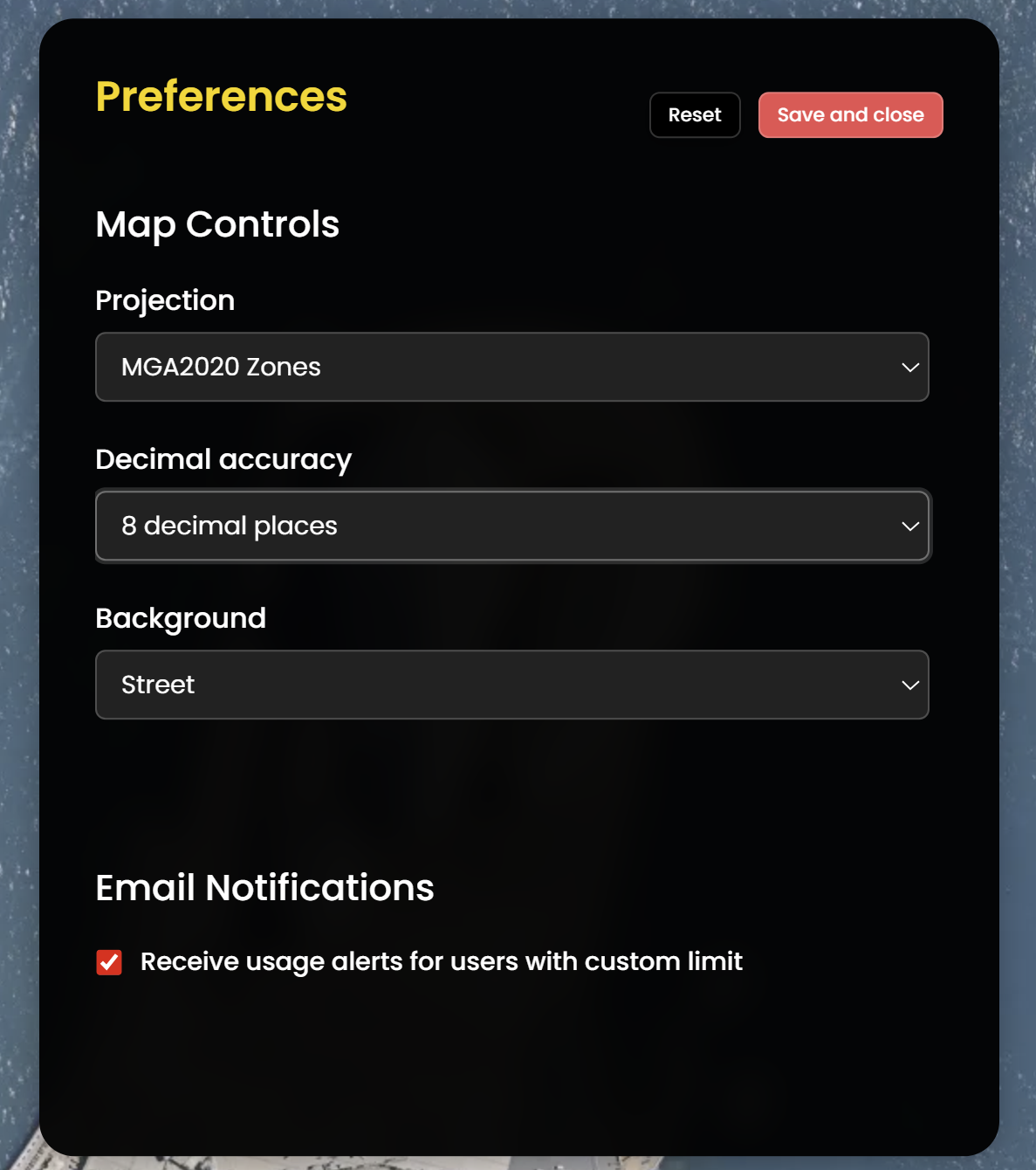
You can change the Projection and Decimal Place Accuracy for the browser display. This will update the units of measurement and decimal places. For more accuracy, select the highest decimal place accuracy available for that Projection. The example below shows where GDA2020 MGA Zone 56 has been selected in the Map Preferences and the map units have updated to show this:
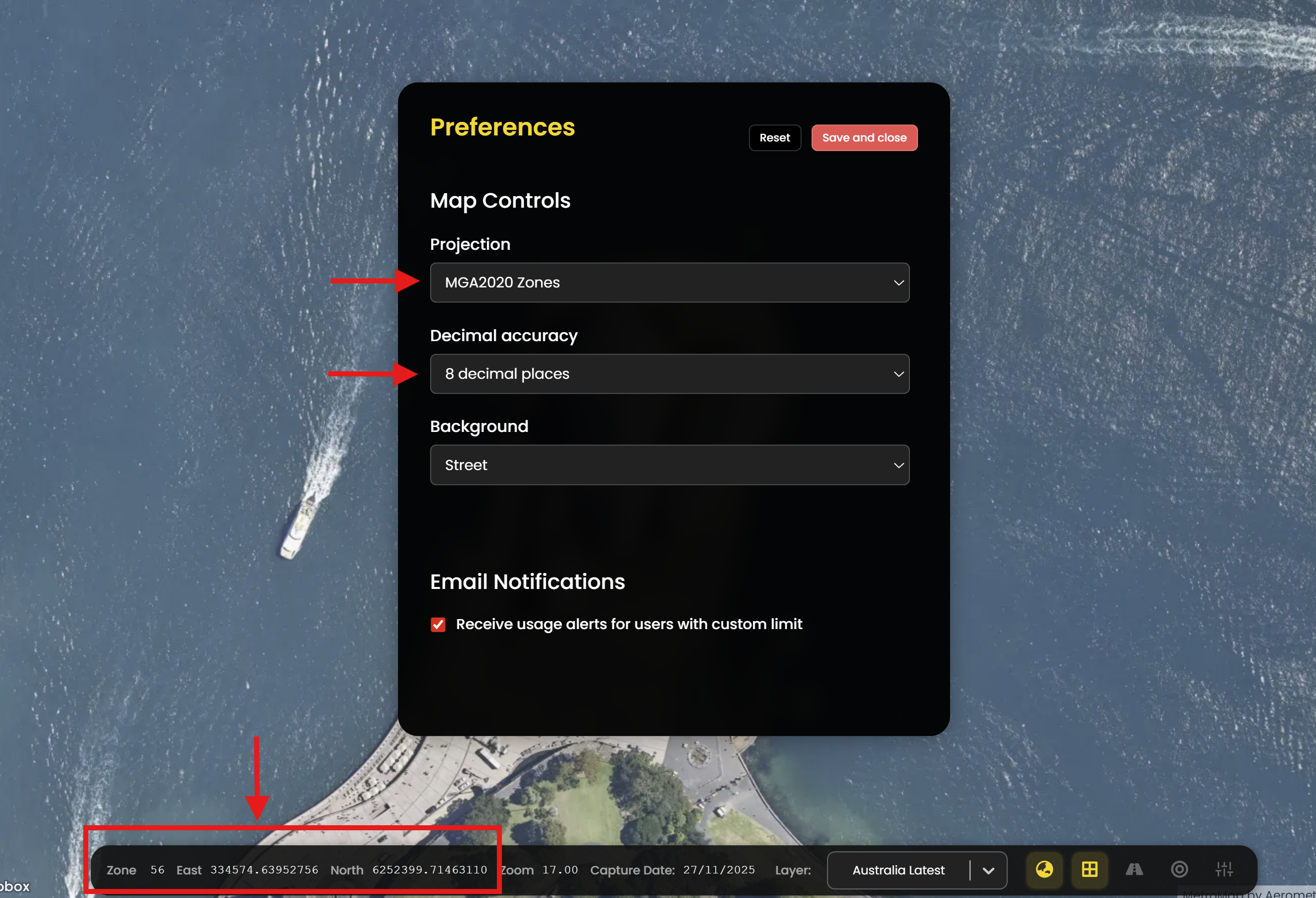
You can also choose Street Map Background or Satellite Map Background for the basemap imagery layer.
MetroMap provides the following projection systems:
WGS 84 / Pseudo-Mercator EPSG:3857GDA 94 Geographic Lat/Lng EPSG:4283GDA 2020 Geodetic coordinate system ESPG:7844MGA 94 ZonesMGA 2020 Zones